Poppulo enterprise case study
Events
Designing clearer event creation, scheduling and management workflows
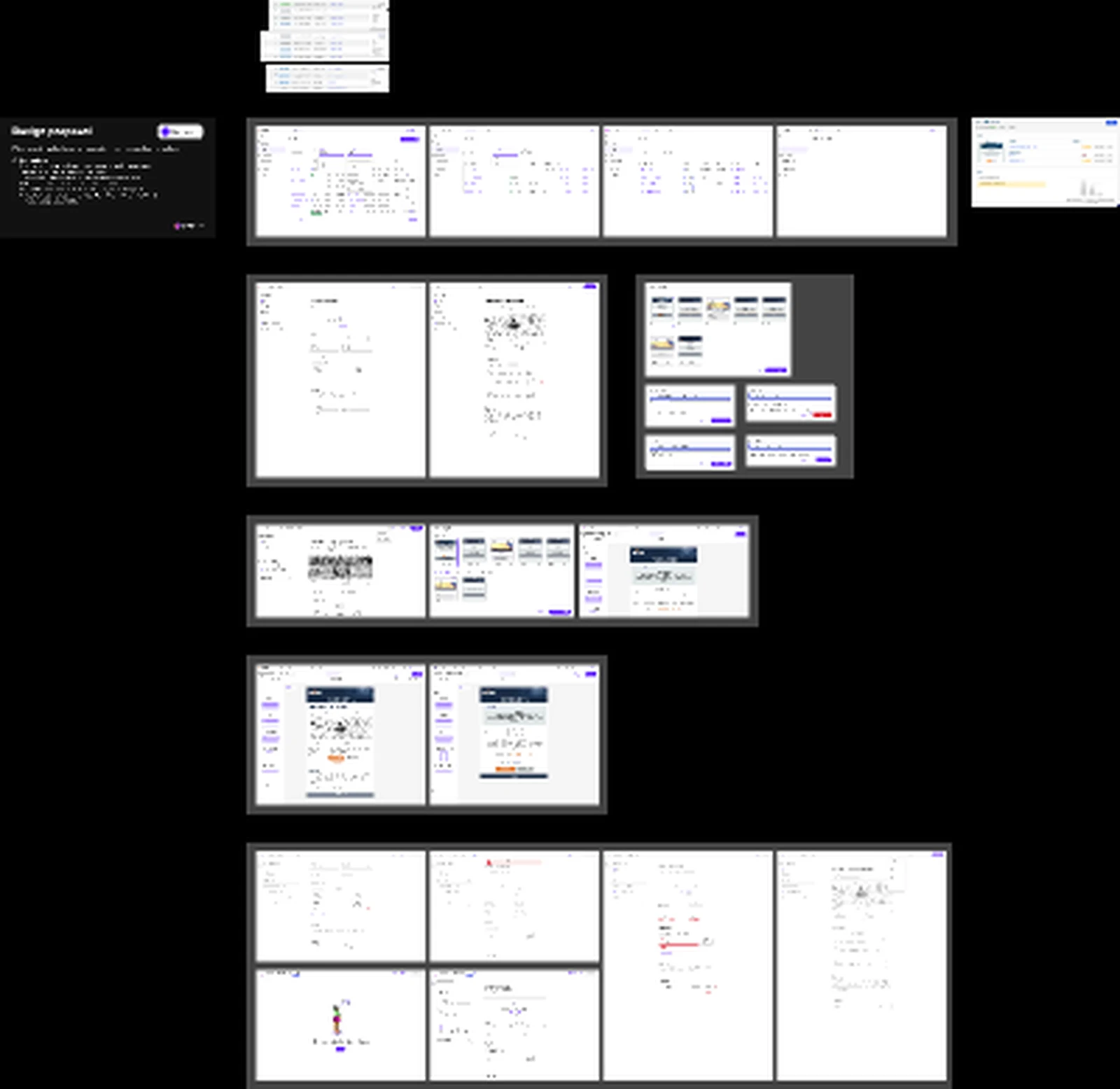
This case study uses the Events Figma file as the source for a fuller product-design story. The file includes event proposal material, creation screens, event details, list views, calendar views and supporting interface states. The page now explains the design problem, the workflow decisions and the product rationale behind those artefacts.
- Role
- Lead UI/UX Designer
- Timeline
- Figma source exported 2026
- Product
- Enterprise events module
- Tools
- Figma, Design systems, Forms UX
Attached Figma source
This case study is based on Events.fig
The page uses the supplied Figma export as the project source, with extracted visuals optimised for the web. Private Jira, Confluence and research evidence can be layered into the same data model later.
- Source file
- Events.fig
- Figma file name
- Events
- Exported
- 10 June 2026
- Board size
- 9,994 x 9,726 canvas export
- Embedded assets
- 136 embedded image assets
Project brief
The brief
Create an events experience for enterprise communicators who need to set up employee-facing events with confidence. The workflow has to capture practical details such as date, time, location, description, media and audience, while also helping teams review what employees will see before an event is published or promoted.
- Reduce uncertainty while creating event details, scheduling information and attendee-facing content.
- Support both list-based management and calendar-based planning.
- Make preview and review states visible before publication.
- Use familiar enterprise patterns so the workflow feels predictable inside a broader platform.
Challenge
Understanding the problem space
Event creator challenge
Communicators need to create events without missing critical details such as schedule, location, audience, description, media, status and attendee-facing preview information.
Operational challenge
Events create coordination risk. A small setup error can affect employee trust, attendance and downstream communications, so the workflow needs clear review states and predictable management tools.
Solution direction
- Structured the case study around the Figma board: proposal framing, creation flow, event list, calendar and detail page artefacts.
- Highlighted form hierarchy, scheduling clarity, attendee-facing previews and management views as the main product themes.
- Converted key Figma-exported screens into optimised WebP assets for fast, accessible case-study presentation.
My contribution
The work focuses on turning a complex operational task into a sequence that feels manageable. I framed the flow around what communicators need to know at each stage: what information is required, what can be added later, what employees will see, and how scheduled events can be monitored after creation.
- Structured the create-event flow around required details, supporting content and review confidence.
- Designed management surfaces for scanning existing events, dates, statuses and metadata.
- Used preview-style screens to connect back-office setup with attendee-facing output.
- Maintained consistency with enterprise SaaS patterns such as tables, forms, filters and detail pages.
Insights
What guided the design
01
Events are content plus logistics
The experience has to help communicators manage both the story of the event and the practical details employees rely on.
02
Creation needs checkpoints
Required fields, helper text and preview states reduce uncertainty before publishing an employee-facing event.
03
Management views matter after publish
Lists, calendar views and event detail states help teams monitor what exists, what is scheduled and what needs attention.
Design decisions
What the design needed to make clear
Separate setup from review
Event creation asks users to enter a lot of information. A clear separation between input fields and preview/review moments helps prevent errors and supports confidence before publishing.
Support multiple planning modes
A table helps users scan metadata and status; a calendar helps them understand timing and overlap. Both views support different planning behaviours and should not compete with each other.
Make the employee-facing output tangible
The event detail concept gives communicators a concrete view of how the event will be understood by employees, including title, imagery, description and attendance actions.
Keep controls close to context
Actions such as editing, publishing or reviewing should sit near the relevant event state rather than forcing users to hunt through global controls.
Process
A reusable design process
-
1
Figma source mapping
Mapped the Events.fig export into case-study sections and selected representative visuals from the embedded assets.
-
2
Workflow framing
Organised the story around event creation, management, scheduling and attendee preview confidence.
-
3
Visual extraction
Converted board and screen assets into web-optimised images with descriptive alt text.
-
4
Reusable template
Aligned the page to the shared case-study template so project navigation, SEO and accessibility remain consistent.
Figma artefacts
Selected screens from the attached file
Figma board overview
Board-level view from Events.fig showing proposal notes, creation flows and management screens.
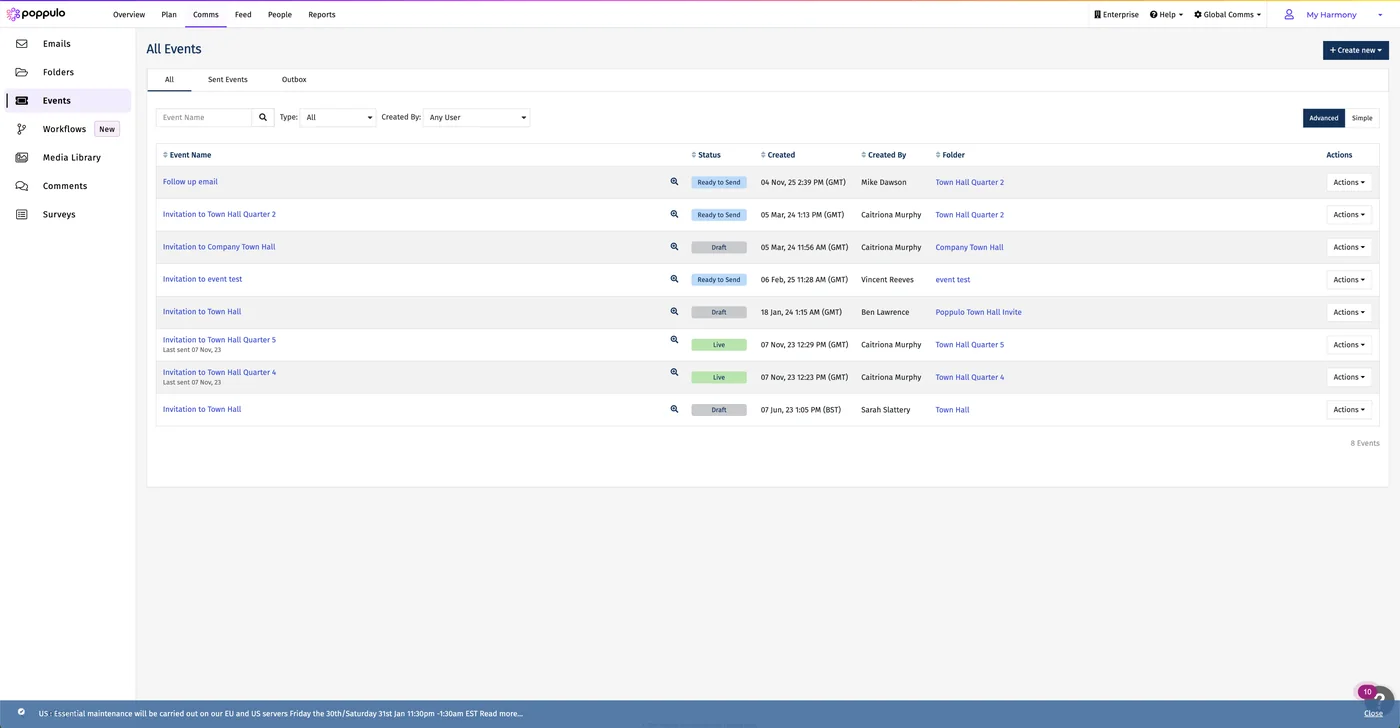
Event list management
List-style management view for scanning event status and metadata.
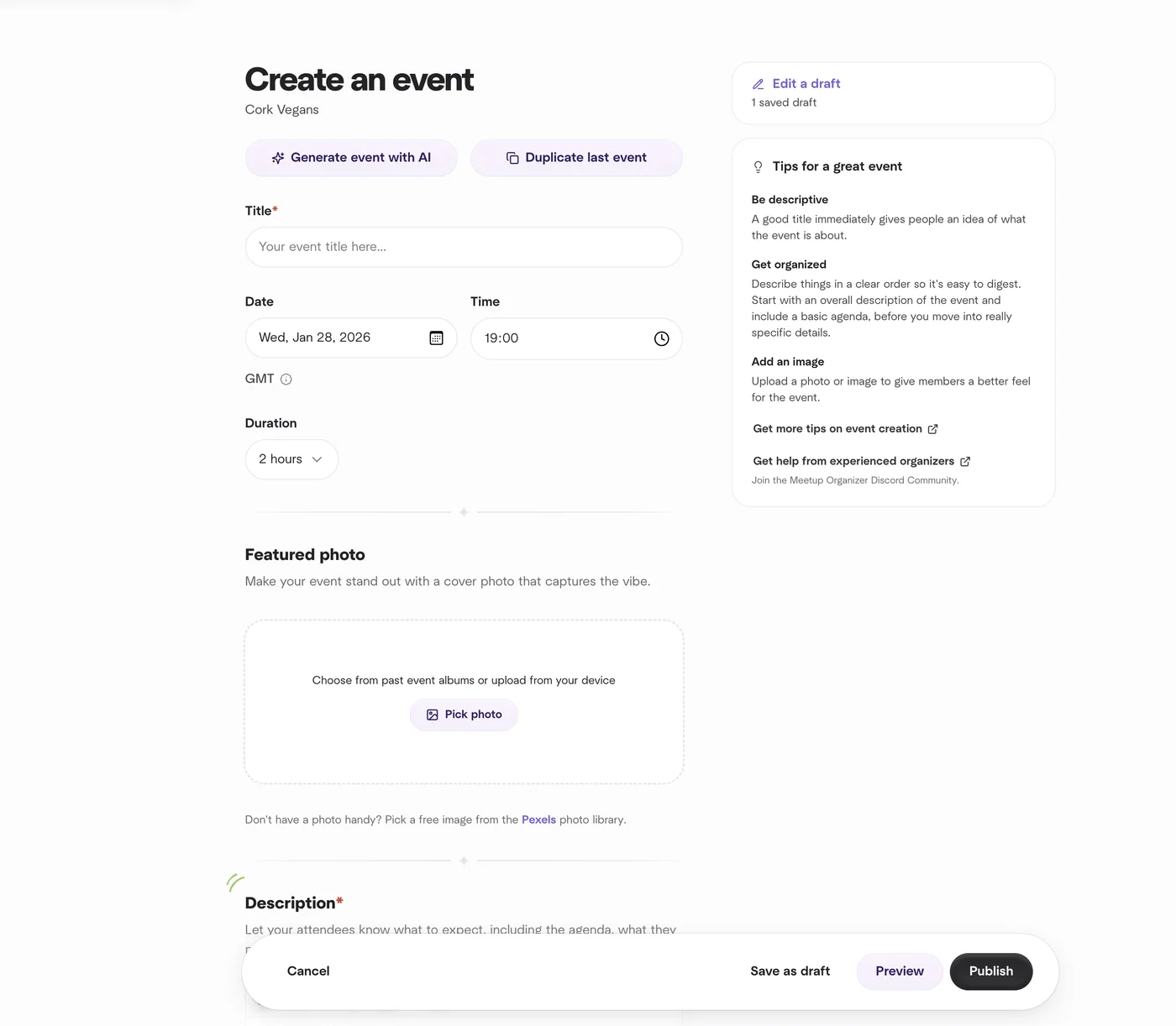
Create an event
Creation flow showing the hierarchy of required event details and supporting fields.
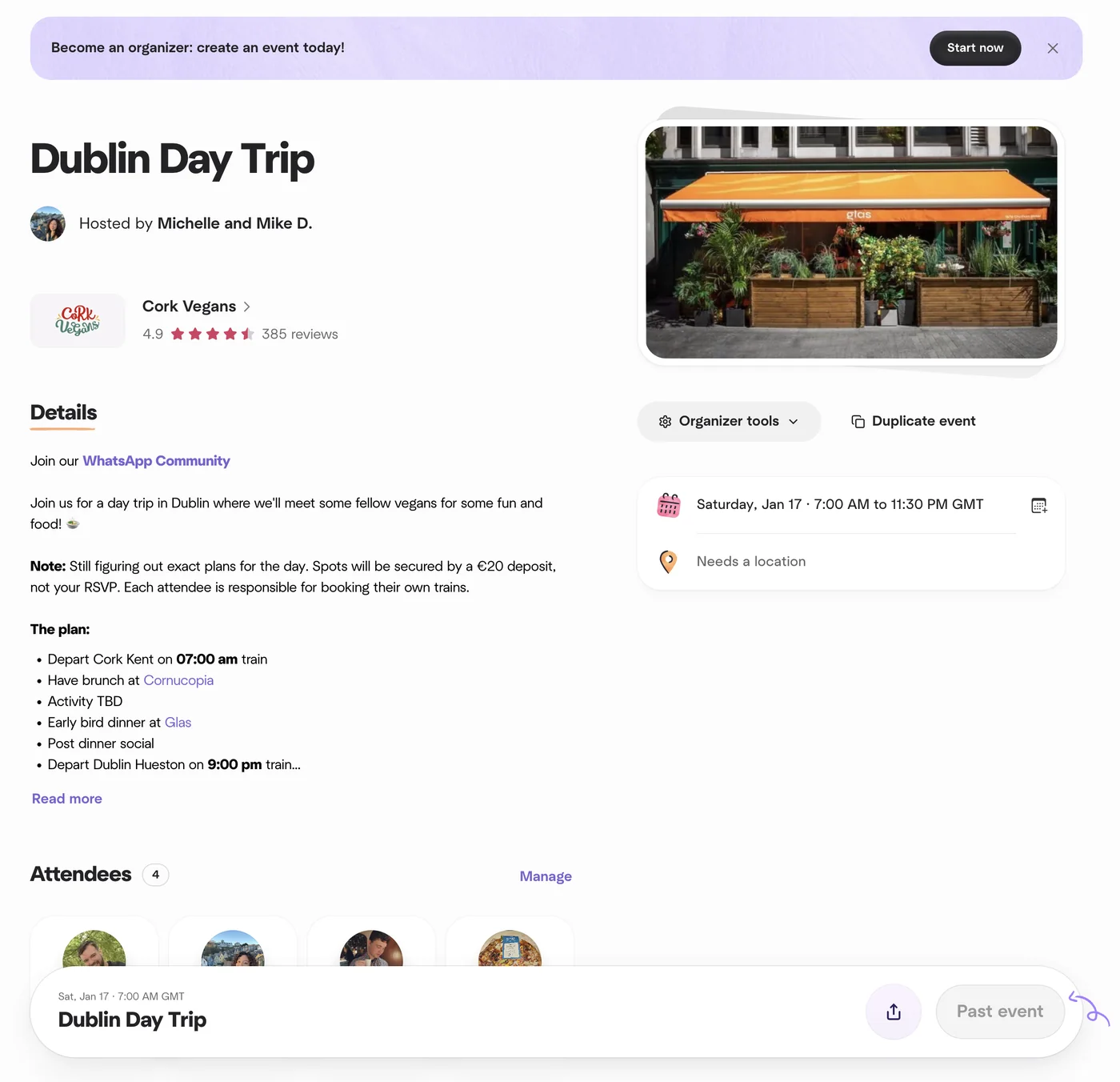
Event detail preview
Attendee-facing detail concept for checking how an event communicates context and action.
Design system
Accessible event module patterns
The Figma source supports a case study focused on form hierarchy, labelled controls, scheduling clarity, empty states, list management and review patterns for enterprise event creation.
Creation and review flow
The selected visuals show the event creation journey and supporting preview-style decisions that help communicators check their work.
Management surfaces
The board includes event list, calendar and detail concepts that support events after initial setup.
Accessibility considerations
Inclusive product details that matter
- Form fields need persistent labels, clear helper text and accessible error messaging.
- Calendar information should also be available in list form for screen-reader and keyboard users.
- Status labels should use text as well as colour.
- Preview content should preserve heading order and meaningful action labels.
Outcomes
Impact and product contribution
- Replaced the placeholder Event Builder page with a complete Events case study based on the supplied Figma file.
- Explained the core product problem: helping communicators create accurate, employee-facing event experiences.
- Documented the main UX decisions across creation, review, scheduling, list management and calendar planning.
- Added accessible, optimised visuals from the Figma source without exposing the raw design file publicly.